Warnings are issued when an emergency is likely to affect you.
They are used to inform the community about different types of emergencies – such as fires, floods, storms, extreme heat and more.
The 3 levels of warning
There are 3 different levels of warnings in the Australian Warnings System:
Yellow – Advice
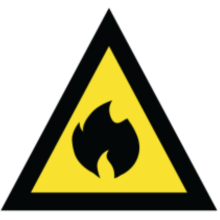
The yellow Advice warning tells you an incident is happening in the area. It may also let you know that a serious threat has reduced.
Orange – Watch and Act
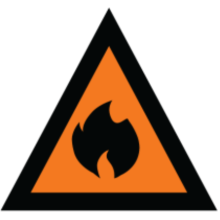
The orange Watch and Act warning lets you know an emergency is developing nearby. You should be ready to take action to protect yourself and others.
Red – Emergency Warning
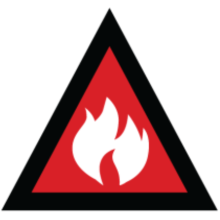
The red Emergency Warning means that you are in immediate danger. You must act now.
Reading a warning
When you open the notification in the app, you’ll see a colour-coded warning icon and a matching coloured area on the map where the warning applies.
Tap on the icon or coloured area to read the warning.
For more detail about the emergency select More info.
Always follow the instructions included in the warning to stay safe.
Order of warnings
Warnings can come in any order. They reflect the current situation and what you need to know to help you stay safe. You might not get a yellow Advice warning first.
The first warning you get could be an Emergency Warning.
Read each warning as it arrives and act if it tells you to.
Understanding instructions in warnings
Every warning includes instructions on what actions you need to take.
The instructions can vary depending on the type of emergency, the conditions and the threat to community.
Stay informed
A yellow Advice warning means an incident has started but there is no immediate danger. If you get this warning, you need to stay informed in case the situation changes.
For example, you might receive a yellow Advice warning with the instruction Stay informed.
If this warning is because of a storm, the yellow warning icon will show a storm cloud.
Staying informed could mean things like:
- charging your phone
- parking your car undercover and away from trees
- securing outdoor furniture
- staying inside.
If this warning is for a flood, the yellow warning icon will show a house with floodwater. The warning may tell you to Prepare now.
Preparing could include things like:
- checking your local flood guide
- talking to your family, household and neighbours about what you’ll do
- packing your car with essential items.
An emergency is developing nearby
An orange Watch and Act warning means an emergency is developing nearby. If you get this warning, you need to start taking steps to protect yourself and others.
For example, you might receive a warning telling you to Monitor conditions as they are changing.
If this warning is for a bushfire, the orange warning will show a flame icon.
Monitoring conditions could include things like:
- regularly checking the VicEmergency app
- tuning your radio to your emergency broadcaster
- checking with your neighbours to make sure they know what is happening
- watching outside for signs like smoke, ash or flames. If conditions are getting worse, you should use your fire plan and leave.
Follow the warning instructions immediately
A red Emergency Warning means you are in immediate danger, and the emergency will affect you. If you get this warning, follow the instructions straight away as any delay could put your life at risk.
For example, if you get a red Emergency Warning for a fire with the instruction Take shelter now, it means it is too dangerous to leave.
Taking shelter might include things like:
- heading inside, closing all doors, windows and vents
- putting on protective clothing like heavy cotton or wool and work boots
- going to a room that has a clear exit and a view of the conditions outside.
To avoid this situation, always plan to leave early. Firefighters may not always be able to get to you.
The CFA has more information on what to do if this happens to you.
Understanding warnings and how to respond is important. People are put in danger and can die because they don’t know what to do ahead of time.
Community information
Community Information messages also appear on the warnings map. These messages are shown in colour blue and are put out when there is little to no threat. They give specific information and updates about incidents.
Are you emergency ready?
Understanding warnings is just one part of being prepared for an emergency.
The VicEmergency app and website give you important information before, during and after an event.
Being prepared for emergencies is everyone’s responsibility:
- make a plan with your family
- download the VicEmergency app and know how to use it
- know your local risks.
Setting up your VicEmergency App
The VicEmergency App is the app to keep you informed about emergencies in Victoria. Download it to your phone, set up watch zones, receive alerts and act on warnings to help keep you safe.
Updated